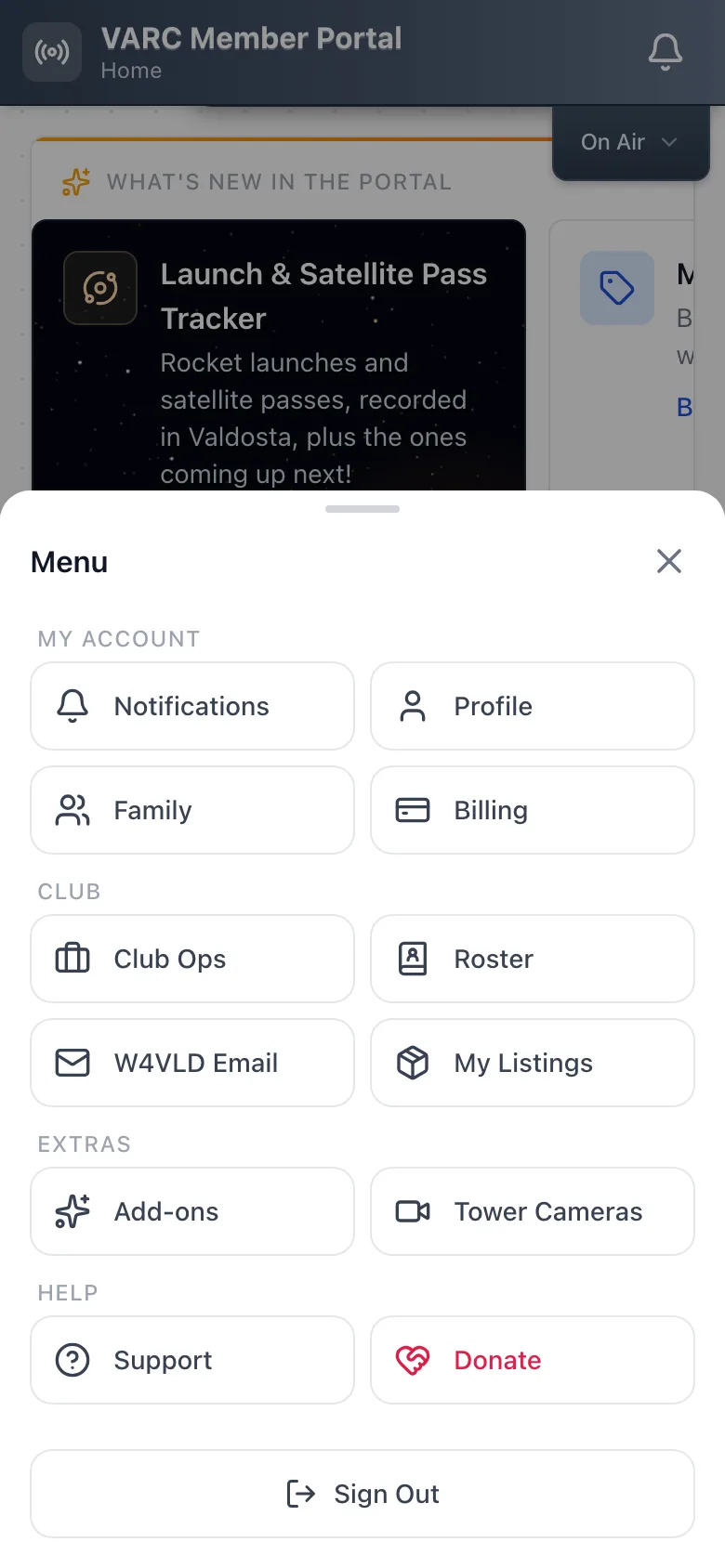

Bottom tab bar
Home, Events, Classifieds, Shack and More, right where your thumb is.
Install it on your phone in thirty seconds. Get meeting reminders, severe weather warnings, rocket launches and the radio you’ve been hunting for, right on your lock screen.
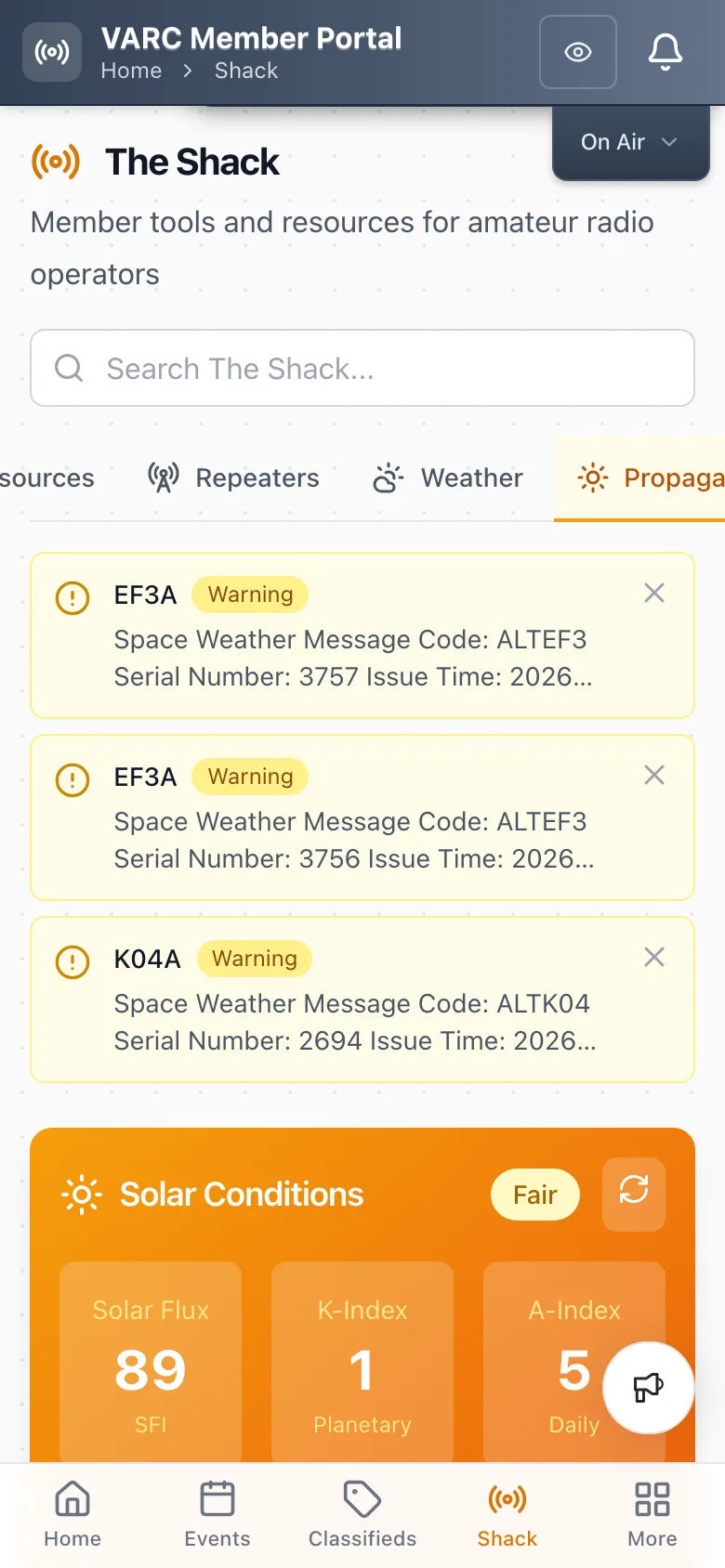
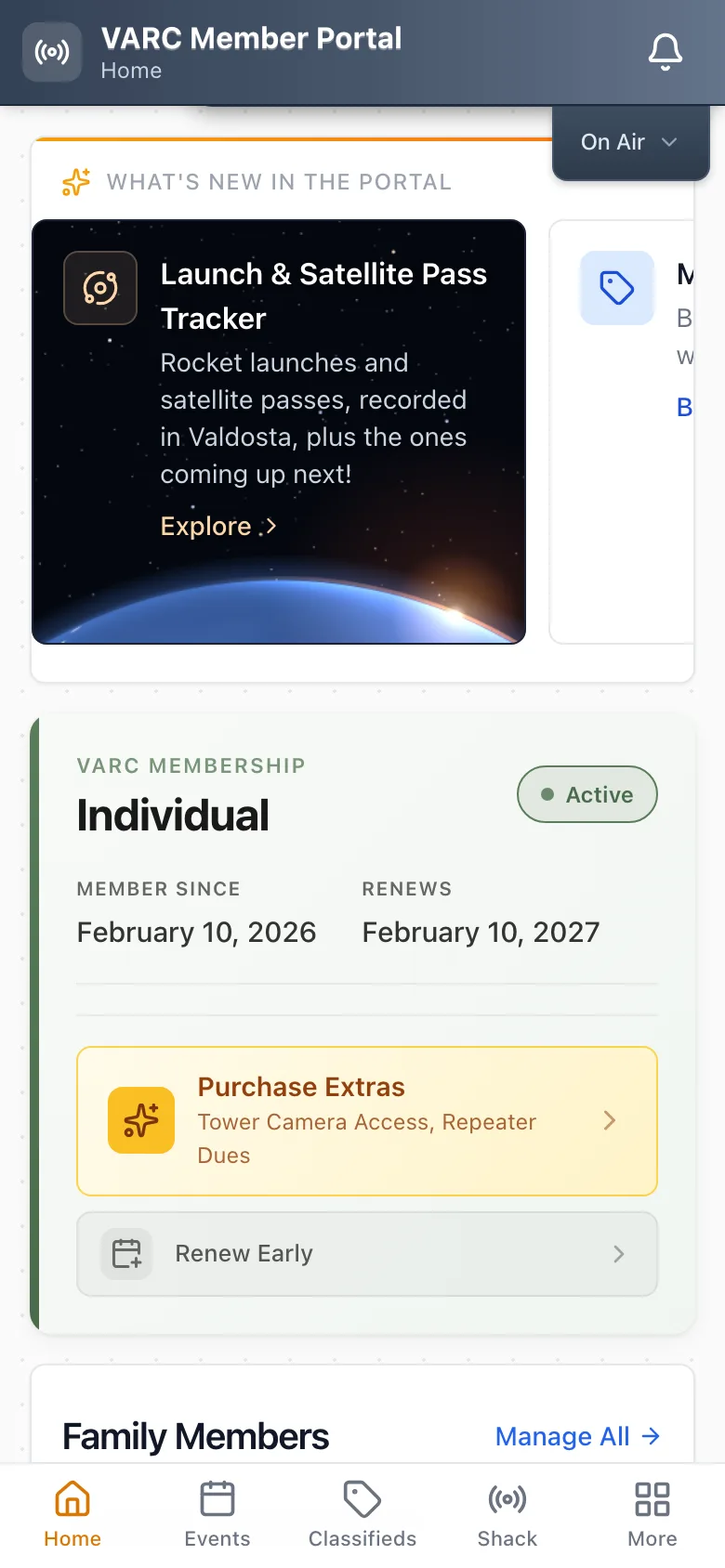
The portal you know, redesigned screen by screen for one-handed use.
Open the app and see your status and renewal countdown, the next club event, and one-tap quick actions.
A bottom tab bar for Home, Events, Classifieds and The Shack, and a More sheet for everything else.
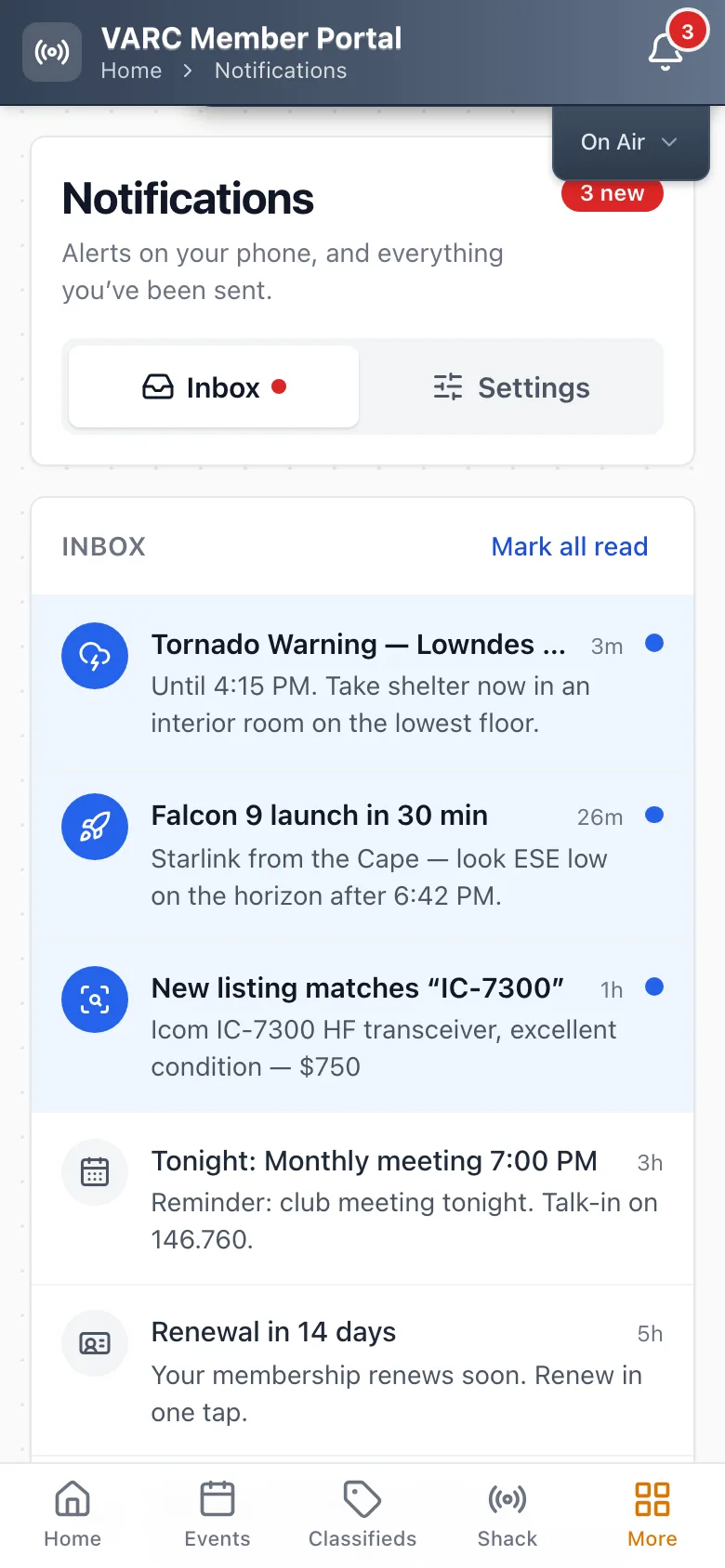
Every alert lands in your inbox with an unread badge. Tap one to jump straight to the page it’s about.
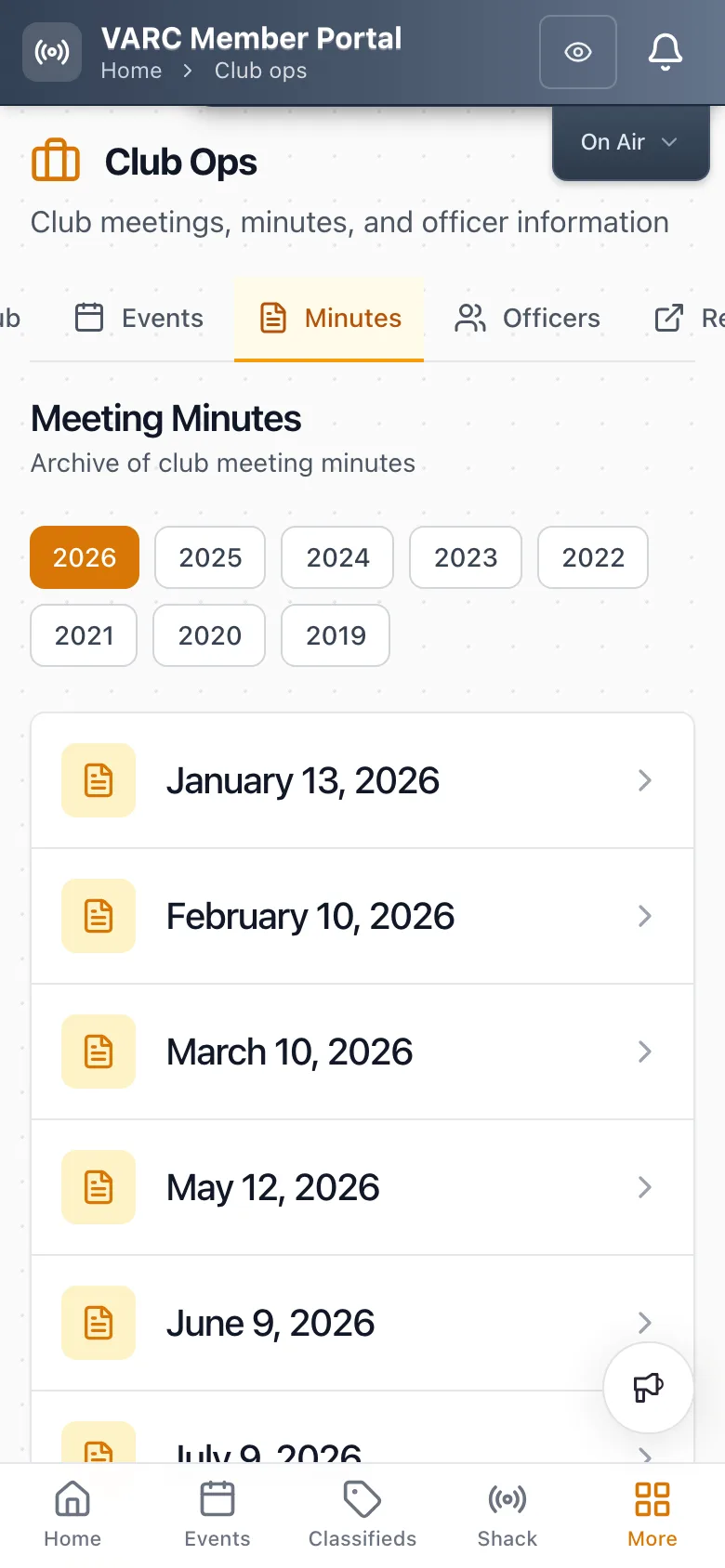
Minutes, events, payments and rosters now read like cards on a phone. No pinching, no sideways scrolling.
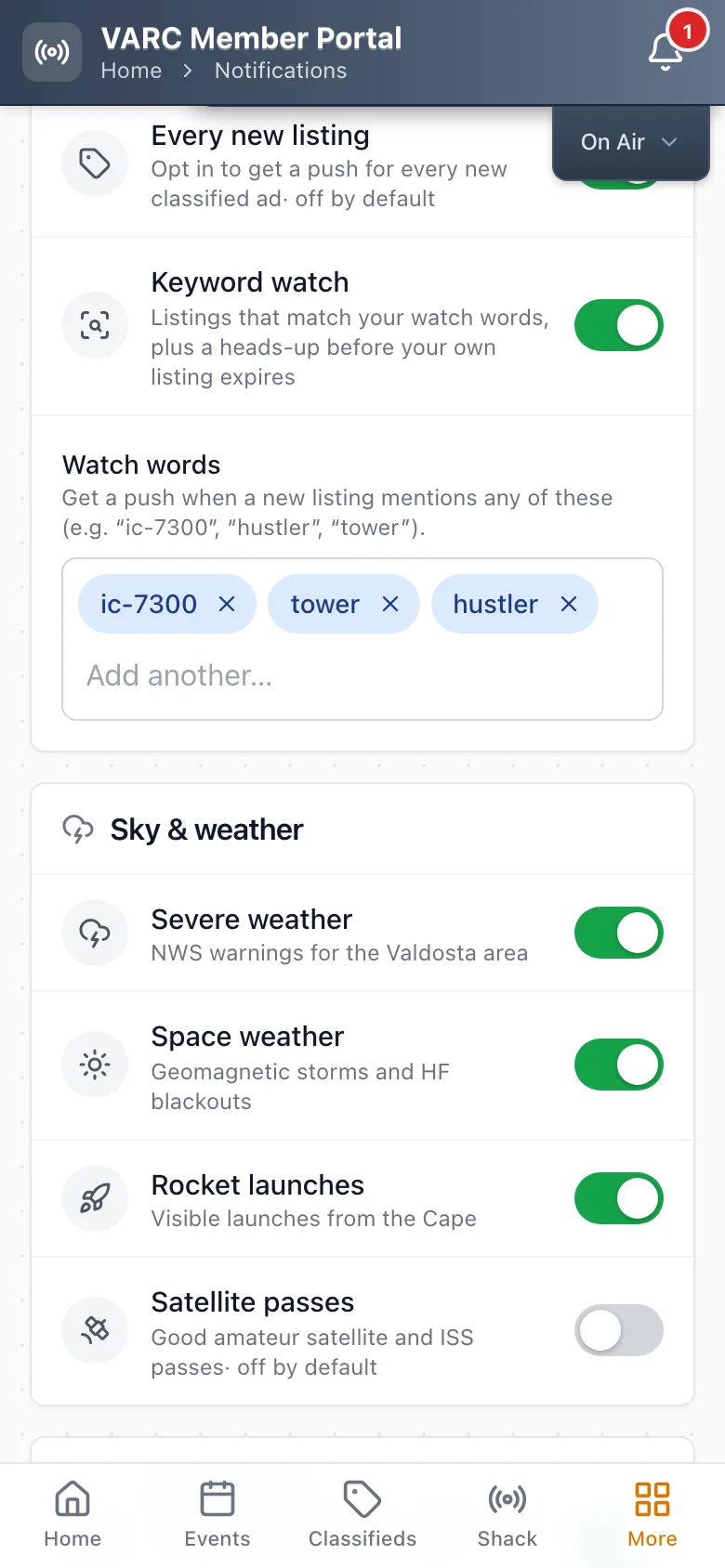
Add watch words and the moment a matching classified is posted, your phone buzzes. Every category has its own switch.
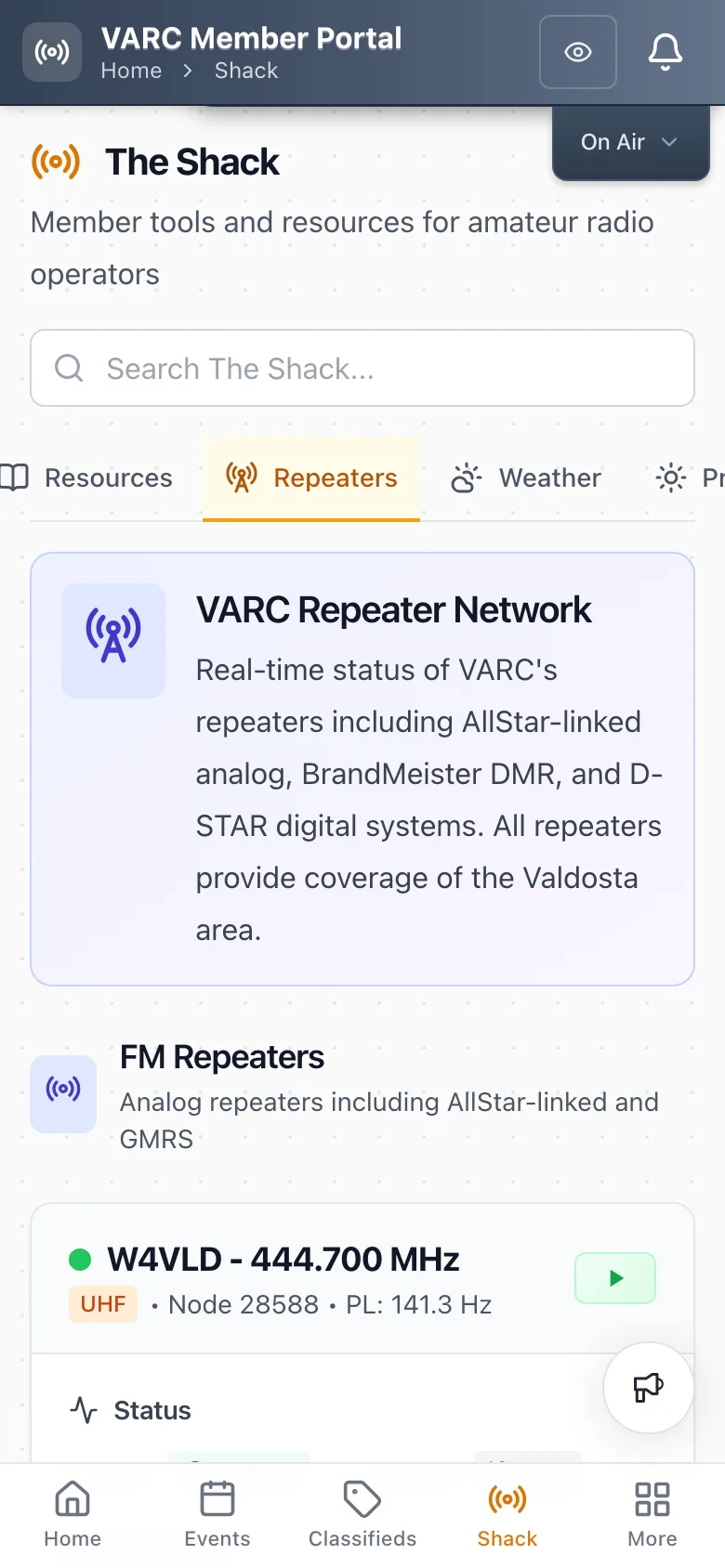
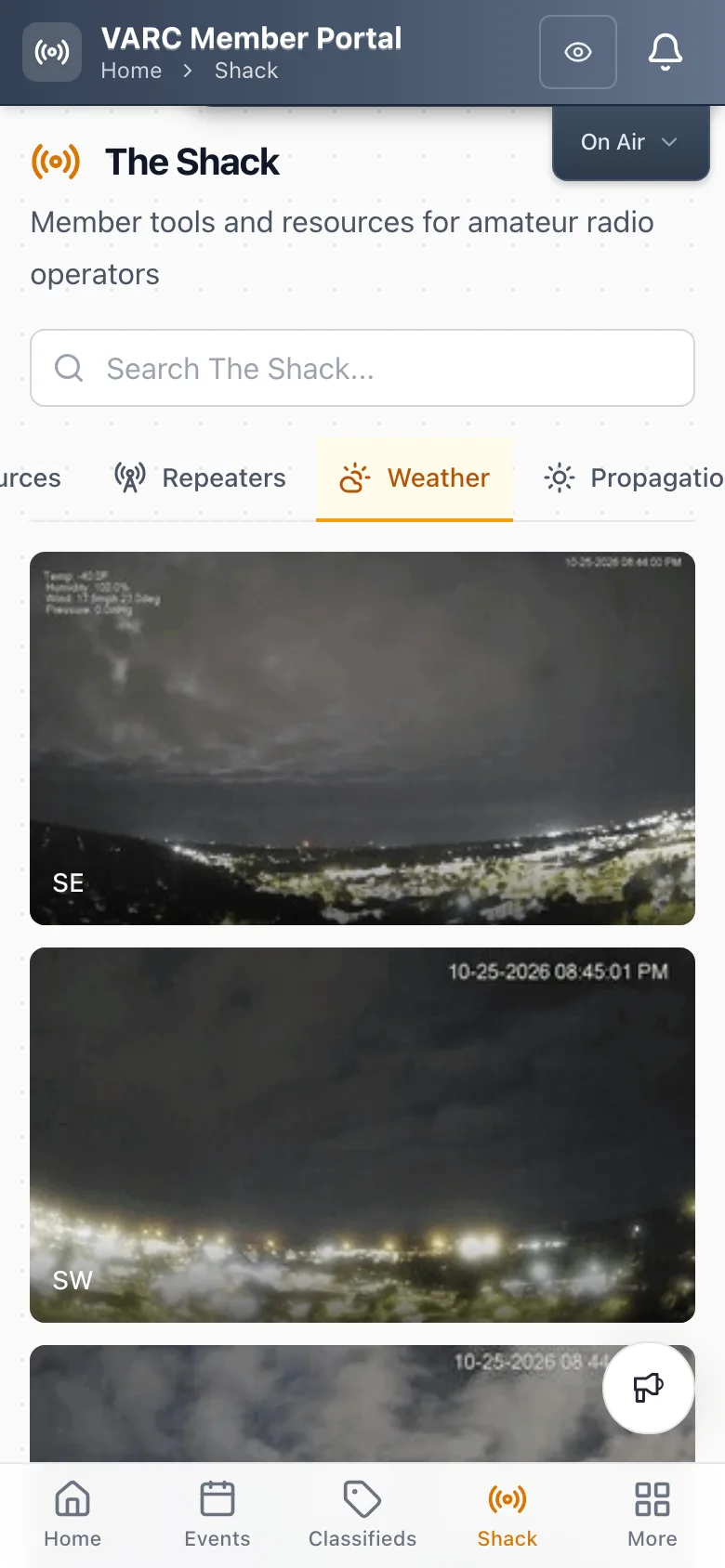
The club weather station, HF propagation, the repeater directory and getting-started guides, sized for one hand.
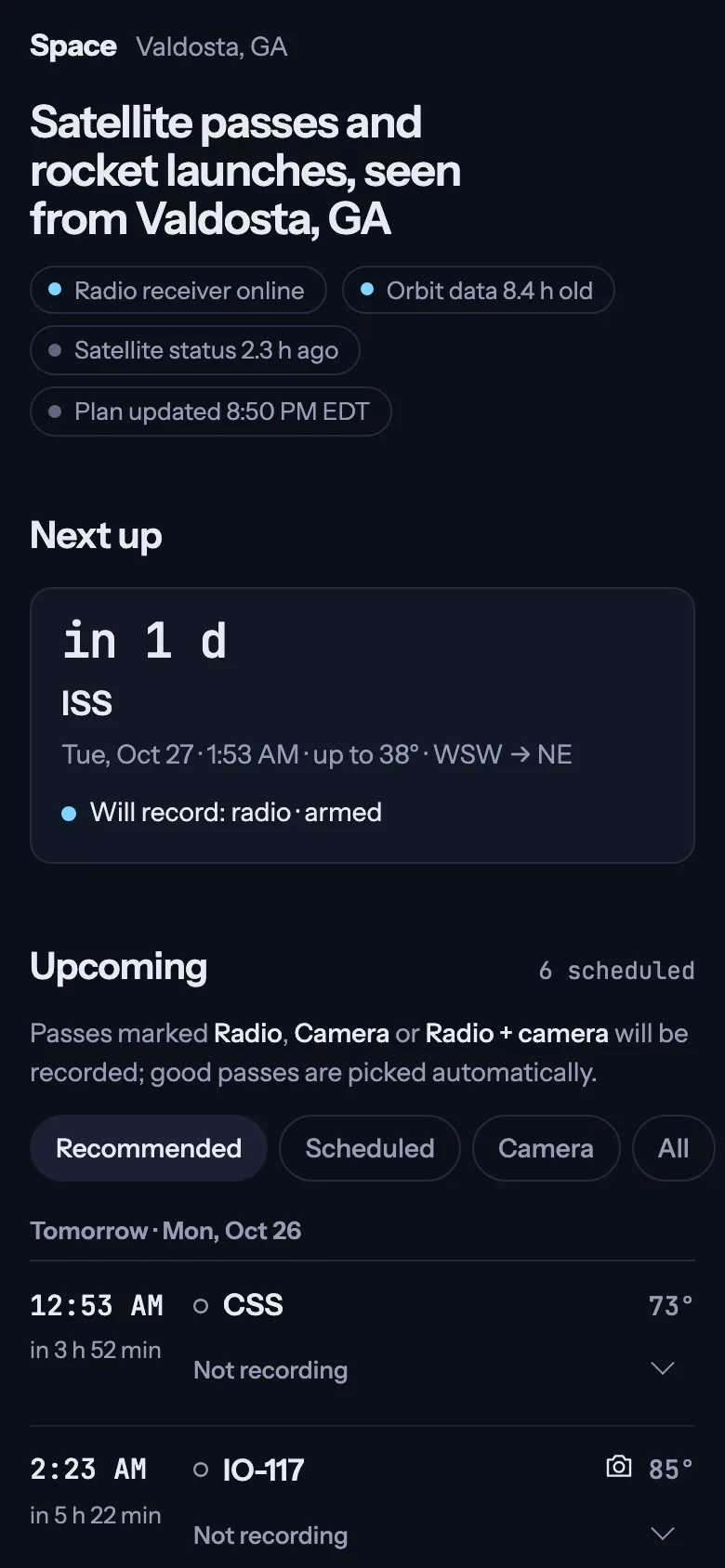
Launches from the Cape, space weather and satellite passes, live from space.hamwansouth.com.
Real push notifications on iPhone, Android and desktop. Meeting reminders, severe weather, launches from the Cape, and the gear you’re watching for, the moment it happens.
Monthly meeting tonight at 7:00 PM. Tap for the agenda and directions.
Icom IC-7300 with hand mic and power cable, $750. Matches “IC-7300”.
iOS lock screen
13 kinds of alerts in four groups, each with its own switch, the same as the settings page in the app. Go ahead, flip a few.
Never let your membership lapse by accident.
The things you need to know right away.
We watch the FCC database so you don’t have to.
Show up on time, every time.
Stay in the loop between meetings.
Be the first to say hello.
Celebrate the members who keep the club going.
For the browsers. Off unless you want it.
Tell us what you’re hunting for. We’ll tap you on the shoulder.
NWS warnings for Lowndes County. Breaks through quiet hours.
Know before the bands fall apart (or light up).
Cape Canaveral is just over the horizon.
Work the birds. Off unless you want it.
Turn each kind of alert on or off. Only what you care about reaches your phone.
Pushes wait until morning while your inbox still fills. Severe weather breaks through.
Every notification lands in your inbox with an unread badge on the bell.
Tap a notification and you land on exactly the right page — the event, the listing, the forecast.
It’s the same portal, added to your home screen so it opens full-screen like any other app. Then tap “Send test” to confirm.
Go to members.w4vld.com in Safari and sign in.
Tap the Share button, the square with an arrow pointing up.
Scroll down, tap “Add to Home Screen”, then tap Add.
Launch VARC from your Home Screen. It opens full-screen, like an app.
Tap More → Notifications → Enable, then Allow.
Tap “Send test”. If it buzzes, you’re all set.
Every page was reworked for small screens. Here’s what changed.
Home, Events, Classifieds, Shack and More, right where your thumb is.
A slim header with a notification bell and unread badge.
Every table is now a stack of easy-to-read cards.
Membership status and countdown, next event and quick actions.
Dialogs slide up from the bottom, where they’re easy to reach.
Buttons and links are sized for fingers, not mouse pointers.
Every page fits your screen. No more pinch and pan.
Pages you’ve visited are cached, with a friendly offline screen.
Add it to your home screen, with long-press shortcuts.
A small “update available” toast. Tap it and you’re current.
Respects the notch, Dynamic Island and home indicator.
Opens full-screen from its own icon, no browser chrome.
Upcoming launches from the Cape, space weather and satellite passes over South Georgia, powered by space.hamwansouth.com.
Buy, sell and trade gear with fellow members, with keyword alerts for what you’re hunting.
Weather station, HF propagation, repeater directory and getting-started resources.
Events calendar, meeting minutes and your officers.
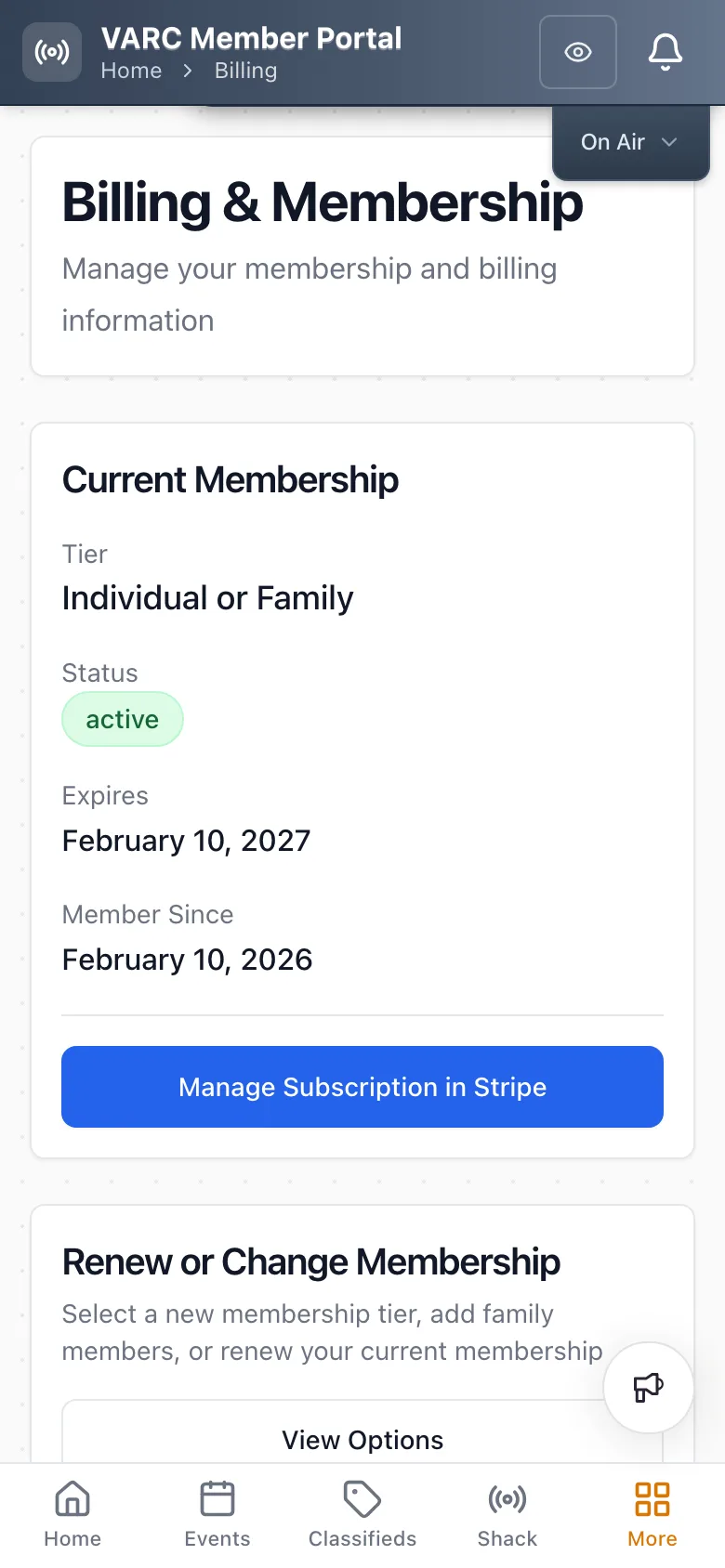
See what you pay and when. Renew in one tap.
Your own @w4vld.com address, plus live tower webcam access as an add-on.
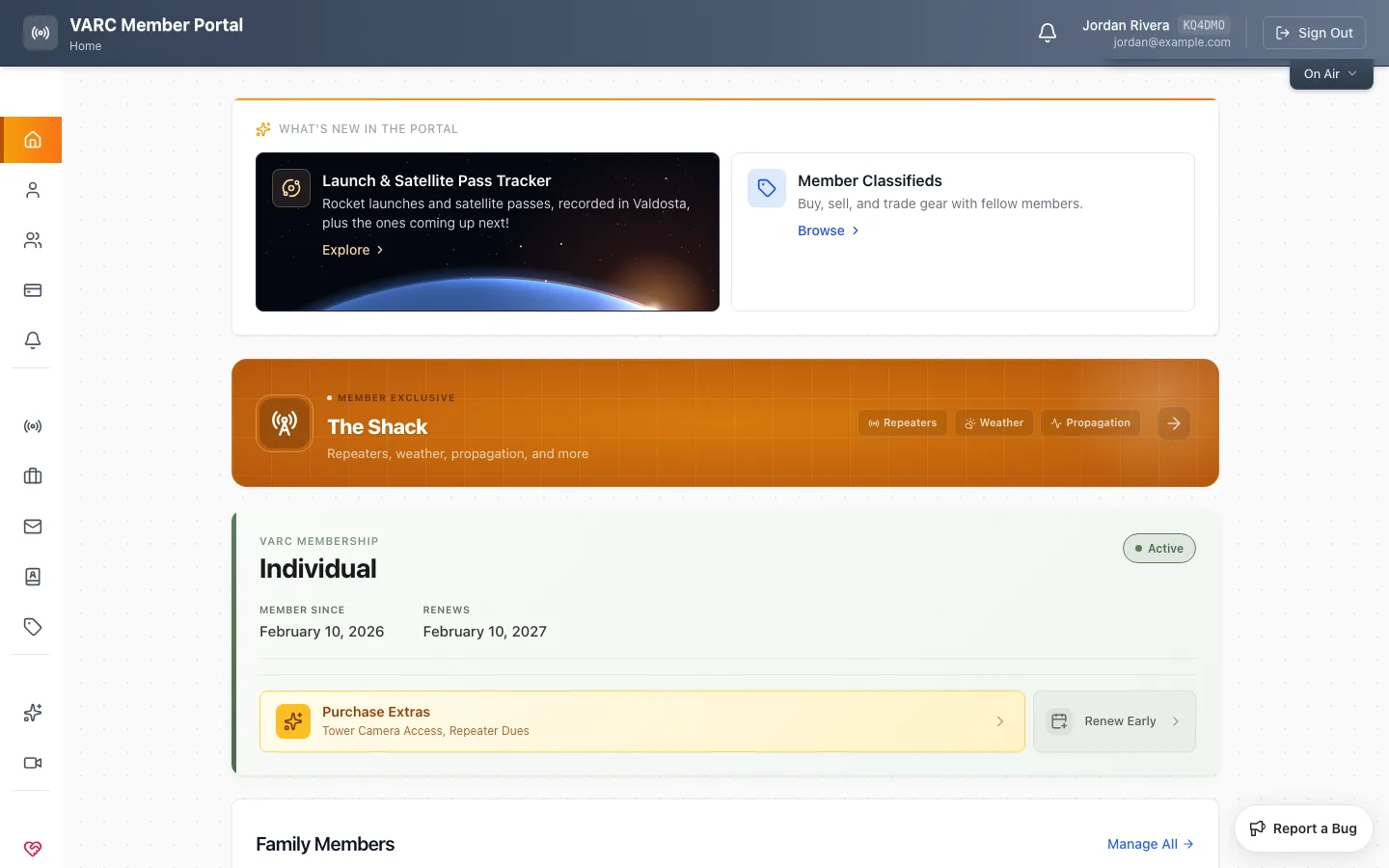
On a computer you get the full sidebar experience, with every tool laid out at once. Desktop browsers get notifications too.
Sign in on your phone, add it to your home screen, and turn on the alerts you want.
Already installed? Just open VARC from your home screen.